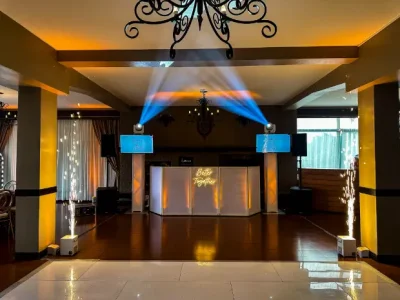



Elevated displays on truss columns keep branding, presentations and event information visible to the audience.
The service can be booked independently or added to a DJ Esteban setup. It is a practical option for trade show booths, corporate events, schedules, video and informational content.

Price per screen, per day
Each rate covers one installed screen for the event day.
A 13% VAT is added when an invoice is required. Access, transportation, setup and removal schedules are confirmed for each venue.
Optional on-site technician
The rental does not include a dedicated technician throughout the event.
When the program requires content changes, supervision or live support, an on-site technician may be added for US$100 for up to 8 hours.
Each additional technician hour is US$20.
A visible solution for booths, presentations and events
Each screen is installed on an approximately 6.6-foot truss column to elevate content and improve visibility. Displays may show branding, presentations, schedules, video or event information.
This service uses individual televisions. It is different from a multi-display VideoWall and from a modular LED panel surface.
Common applications
Trade show booths and branding
Logos, commercial messages, portfolios and video pieces for exhibitions, brand activations and corporate spaces.
Presentations and information
Schedules, data, photographs, video or supporting material placed near the area where the audience needs it.
Synchronized screens
An HDMI splitter can duplicate one source across several screens to keep the displayed content coordinated.
Setup and presentation
Each television is installed on an approximately 6.6-foot / 2-meter truss column.
The final position must provide safe viewing without blocking walkways, exits or work areas.
Included at no additional charge
- HDMI cable up to 49 feet / 15 meters when the layout requires it.
- HDMI splitter to display the same signal on multiple screens.
- Approximately 6.6-foot / 2-meter truss column for each screen.
- Open truss or white or black fabric cover.
- Connection verification during setup.

Content coordinated before the event
Before setup, we confirm the number of screens, their positions and the equipment that will send the HDMI signal.
When several screens display the same content, the splitter distributes a single source. If every screen needs different material, the required sources and connections are reviewed separately.
We recommend testing resolution, aspect ratio, audio and content duration in advance.
TV screens at events
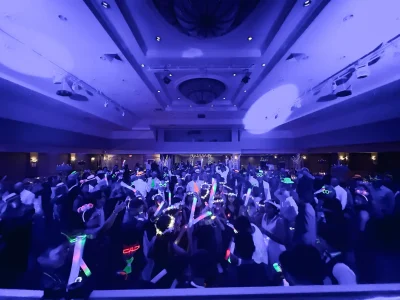
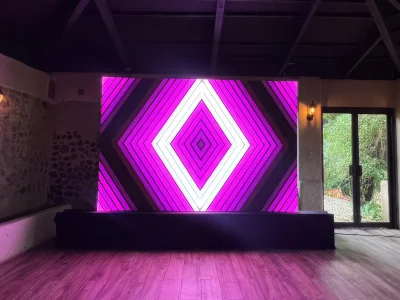
Examples of screens used with corporate identity, video and different setup styles.


How the service is coordinated
- Share the details.
Date, venue, schedule and event type. - Choose the screens.
Quantity, size and approximate position. - Prepare the content.
Presentation, video, logo or information to display. - Review the signal.
We confirm HDMI, splitter, source devices and technician needs. - Install and test.
The setup is verified before the event begins.
Frequently asked questions
Practical information for choosing quantity, content and operation.
How many screens does your event need?
Send the date, venue, schedule, quantity, screen size and content type. With those details, we can confirm availability, setup and operation.